
The standard "9-to-5" rarely exists in dentistry. Between team huddles, continuing education, and the essential mid-day lunch break, your office status often changes multiple times a day. If your automation doesn't reflect these shifts, it creates friction for patients who expect immediate answers or live transfers.
We have introduced Support for Split Hours to ensure your AI Receptionist is always in sync with the physical reality of your practice.
Why this matters
When a patient calls at 12:30 PM and the AI promises a "live transfer to the team," but everyone is at lunch, patient trust is eroded. Managing these gaps effectively reduces the "callback burden" on your staff when they return, as the AI can accurately tell patients exactly when the office will reopen.
How it works in practice
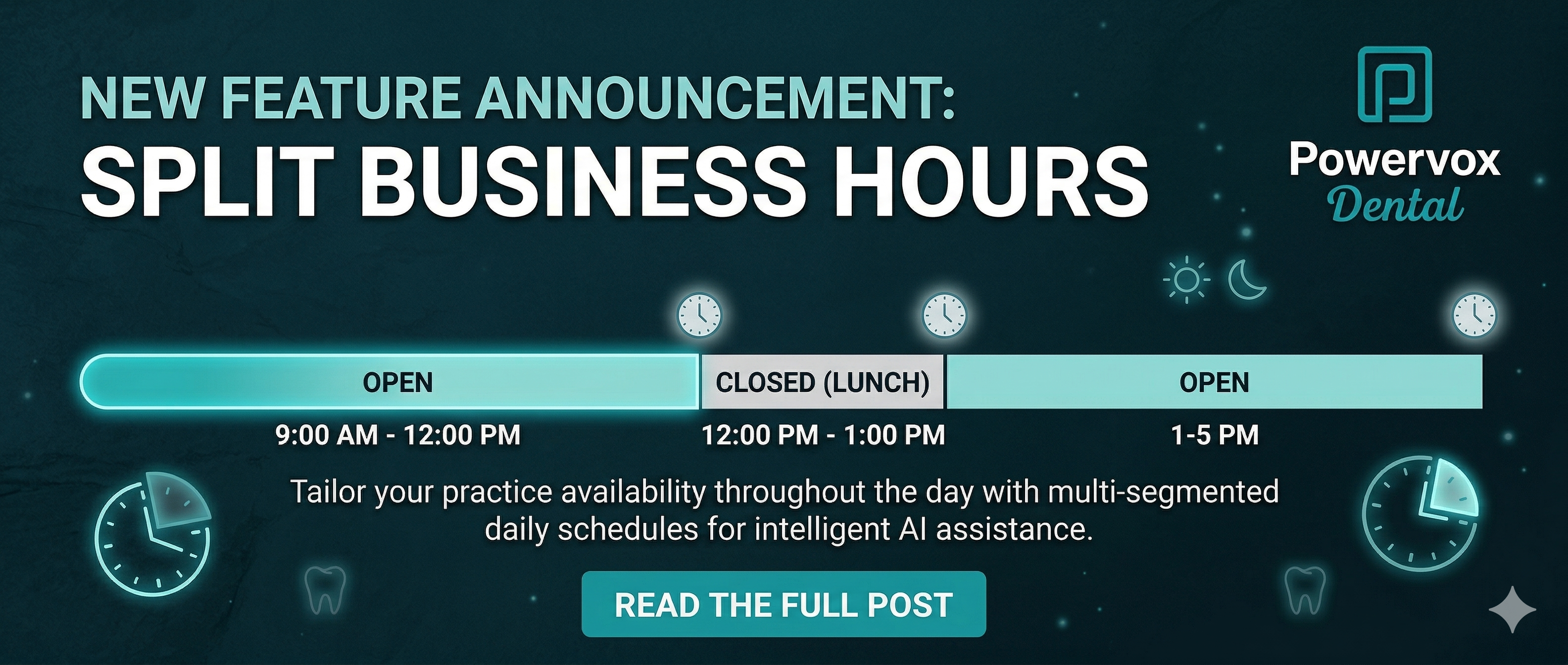
In the Powervox dashboard, you can now define multiple "Open" segments for a single day. For example, you can set your status as open from 8:00 AM to 12:00 PM, and 1:00 PM to 5:00 PM. During that one-hour gap, the AI automatically shifts its behavior—disabling live transfers and informing callers of the specific time the team will be back.
What to evaluate before choosing a solution
Workflow fit: Can the system handle recurring weekly huddles?
Patient communication: Does the AI give a specific "return time" or a generic "we are closed" message?
Staff control: Is it easy to change hours for a one-off holiday or emergency closure?
Common mistakes or risks
Many offices set their hours once and forget them. The risk is providing inaccurate information during staff meetings or training days. Utilizing a system that allows for easy "split" configurations ensures your AI doesn't over-promise when your team is off the clock.
How Powervox approaches this
Powervox focuses on operational accuracy. By allowing for granular "Open" segments, we ensure the AI acts as a true extension of your team. It knows when you are available for a handoff and when it should simply take a message or book an appointment autonomously.

FAQ
Can I set different hours for every day of the week? Yes, each day can have its own unique segments to account for late Tuesdays or early Fridays.
Does this affect 24/7 booking? No. Your AI can still book appointments 24/7; this setting primarily controls the "live transfer" logic and the way the AI describes your current availability.
How long does it take for changes to go live? Updates to your office hours in the dashboard are reflected by the AI Receptionist instantly.
Next step
Ensure your schedule is accurate. Log in to your dashboard to update your practice hours.